Note
This page is a reference documentation. It only explains the function signature, and not how to use it. Please refer to the user guide for the big picture.
fetch_atlas_basc_multiscale_2015
- nilearn.datasets.fetch_atlas_basc_multiscale_2015(data_dir=None, url=None, resume=True, verbose=1, resolution=7, version='sym')[source]
Download and load multiscale functional brain parcellations.
This Deterministic atlas includes group brain parcellations generated from resting-state functional magnetic resonance images from about 200 young healthy subjects.
For more information see the dataset description.
Added in Nilearn 0.2.3.
- Parameters:
- data_dir
pathlib.Pathorstror None, optional Path where data should be downloaded. By default, files are downloaded in a
nilearn_datafolder in the home directory of the user. See alsonilearn.datasets.utils.get_data_dirs.- url
stror None, default=None URL of file to download. Override download URL. Used for test only (or if you setup a mirror of the data).
- resume
bool, default=True Whether to resume download of a partly-downloaded file.
- verbose
boolorint, default=1 Verbosity level (
0orFalsemeans no message).- resolution
int, default=7 Number of networks in the dictionary. Valid resolutions available are {7, 12, 20, 36, 64, 122, 197, 325, 444}
- version{‘sym’, ‘asym’}, default=’sym’
Available versions are ‘sym’ or ‘asym’. By default all scales of brain parcellations of version ‘sym’ will be returned.
- data_dir
- Returns:
- data
sklearn.utils.Bunch Dictionary-like object, contains:
- maps:
str Path to Nifti file of the brain parcellation. Images have shape
(53, 64, 52)and contain consecutive integer values from 0 to the selected number of networks (scale).
- maps:
- ‘description’
str Description of the dataset.
- ‘description’
lut :
pandas.DataFrameAct as a look up table (lut) with at least columns ‘index’ and ‘name’. Formatted according to ‘dseg.tsv’ format from BIDS.
- ‘template’
str The standardized space of analysis in which the data is provided. When known it should be a valid template name taken from the spaces described in the BIDS specification.
- ‘template’
‘atlas_type’ :
strType of atlas. See Probabilistic atlas and Deterministic atlas.
- data
Notes
If the dataset files are already present in the user’s Nilearn data directory, this fetcher will not re-download them. To force a fresh download, you can remove the existing dataset folder from your local Nilearn data directory.
For more details on how Nilearn stores datasets.
Examples using nilearn.datasets.fetch_atlas_basc_multiscale_2015
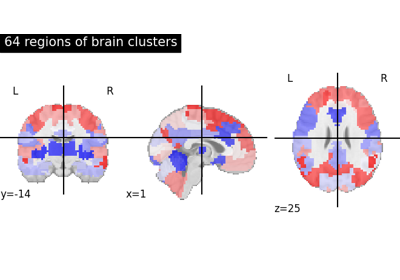
Visualizing multiscale functional brain parcellations