Note
This page is a reference documentation. It only explains the function signature, and not how to use it. Please refer to the user guide for the big picture.
fetch_atlas_harvard_oxford
- nilearn.datasets.fetch_atlas_harvard_oxford(atlas_name, data_dir=None, symmetric_split=False, resume=True, verbose=1)[source]
Load Harvard-Oxford parcellations from FSL.
This function downloads Harvard Oxford atlas packaged from FSL 5.0 and stores atlases in NILEARN_DATA folder in home directory.
This function can also load Harvard Oxford atlas from your local directory specified by your FSL installed path given in data_dir argument.
For more information, see the dataset description.
Note
For atlases ‘cort-prob-1mm’, ‘cort-prob-2mm’, ‘cortl-prob-1mm’, ‘cortl-prob-2mm’, ‘sub-prob-1mm’, and ‘sub-prob-2mm’, the function returns a Probabilistic atlas, and the
Nifti1Imagereturned is 4D. For deterministic atlases, theNifti1Imagereturned is 3D.- Parameters:
- atlas_name
str Name of atlas to load. Can be: “cort-maxprob-thr0-1mm”, “cort-maxprob-thr0-2mm”, “cort-maxprob-thr25-1mm”, “cort-maxprob-thr25-2mm”, “cort-maxprob-thr50-1mm”, “cort-maxprob-thr50-2mm”, “cort-prob-1mm”, “cort-prob-2mm”, “cortl-maxprob-thr0-1mm”, “cortl-maxprob-thr0-2mm”, “cortl-maxprob-thr25-1mm”, “cortl-maxprob-thr25-2mm”, “cortl-maxprob-thr50-1mm”, “cortl-maxprob-thr50-2mm”, “cortl-prob-1mm”, “cortl-prob-2mm”, “sub-maxprob-thr0-1mm”, “sub-maxprob-thr0-2mm”, “sub-maxprob-thr25-1mm”, “sub-maxprob-thr25-2mm”, “sub-maxprob-thr50-1mm”, “sub-maxprob-thr50-2mm”, “sub-prob-1mm”, “sub-prob-2mm”.
- data_dir
pathlib.Pathorstror None, optional Path where data should be downloaded. By default, files are downloaded in a
nilearn_datafolder in the home directory of the user. See alsonilearn.datasets.utils.get_data_dirs. Optionally, it can also be a FSL installation directory (which is dependent on your installation). Example, if FSL is installed in/usr/share/fsl/then specifying as ‘/usr/share/’ can get you the Harvard Oxford atlas from your installed directory. Since we mimic the same root directory as FSL to load it easily from your installation.- symmetric_split
bool, default=False If
True, lateralized atlases of cort or sub with maxprob will be returned. For subcortical types (sub-maxprob), we split every symmetric region in left and right parts. Effectively doubles the number of regions.Note
Not implemented for full Probabilistic atlas (-prob- atlases).
- resume
bool, default=True Whether to resume download of a partly-downloaded file.
- verbose
boolorint, default=1 Verbosity level (
0orFalsemeans no message).
- atlas_name
- Returns:
- data
sklearn.utils.Bunch Dictionary-like object, contains:
atlas_type:str. Type of atlas. See Probabilistic atlas and Deterministic atlas.lut:pandas.DataFrame. Act as a look up table (lut) with at least columns ‘index’ and ‘name’. Formatted according to ‘dseg.tsv’ format from BIDS.maps:nibabel.nifti1.Nifti1Image. It is a 4D image with shape(182, 218, 182, 48)if a Probabilistic atlas is requested, and a 3D image with shape(182, 218, 182)and 48 regions (+ background) if a maximum probability atlas is requested. In the latter case, the image contains integer values which can be interpreted as the indices in the list of labels.template:str. The standardized space of analysis in which the data is provided.
Note
For some atlases, it can be the case that some regions are empty. In this case, no voxels in the map are assigned to these regions. So the number of unique values in the map can be strictly smaller than the number of region names in
labels.
- data
See also
Notes
If the dataset files are already present in the user’s Nilearn data directory, this fetcher will not re-download them. To force a fresh download, you can remove the existing dataset folder from your local Nilearn data directory.
For more details on how Nilearn stores datasets.
Examples using nilearn.datasets.fetch_atlas_harvard_oxford
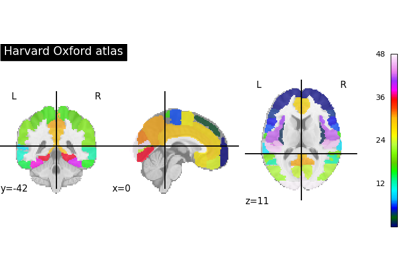
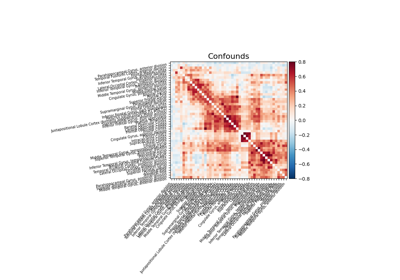
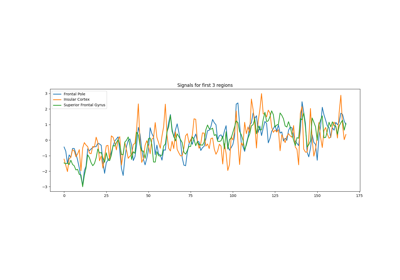
Extracting signals from brain regions using the NiftiLabelsMasker