Note
This page is a reference documentation. It only explains the function signature, and not how to use it. Please refer to the user guide for the big picture.
nilearn.datasets.fetch_openneuro_dataset
- nilearn.datasets.fetch_openneuro_dataset(urls=None, data_dir=None, dataset_version='ds000030_R1.0.4', verbose=1)[source]
Download OpenNeuro BIDS dataset.
This function specifically downloads files from a series of URLs.
Unless you use
fetch_ds000030_urlsor the default parameters, it is up to the user to ensure that the URLs are correct, and that they are associated with an OpenNeuro dataset.Recommendation
We strongly suggest you do NOT use this function in your analysis pipeline to fetch data from openneuro.
The Datalad package offers more flexibility to access those datasets:
Note also that each openneuro dataset has a tab giving you advice on how to download it (see for example).
- Parameters:
- urls
listofstr, default=None List of URLs to dataset files to download. If not specified, all files from the default dataset (
ds000030_R1.0.4) will be downloaded.- data_dir
pathlib.Pathorstror None, optional Path where data should be downloaded. By default, files are downloaded in a
nilearn_datafolder in the home directory of the user. See alsonilearn.datasets.utils.get_data_dirs.- dataset_version
str, default=’ds000030_R1.0.4’ Dataset version name. Assumes it is of the form [name]_[version].
- verbose
boolorint, default=1 Verbosity level (
0orFalsemeans no message).
- urls
- Returns:
Notes
If the dataset files are already present in the user’s Nilearn data directory, this fetcher will not re-download them. To force a fresh download, you can remove the existing dataset folder from your local Nilearn data directory.
For more details on how Nilearn stores datasets.
The default dataset downloaded by this function is the “UCLA Consortium for Neuropsychiatric Phenomics LA5c” dataset. For more information, see the dataset description.
This copy includes filenames that are not compliant with the current version of BIDS, so this function also calls
patch_openneuro_datasetto generate BIDS-compliant symlinks.
Examples using nilearn.datasets.fetch_openneuro_dataset
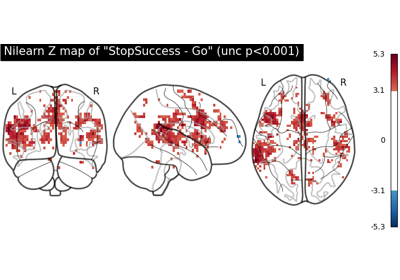
First level analysis of a complete BIDS dataset from openneuro