Note
This page is a reference documentation. It only explains the function signature, and not how to use it. Please refer to the user guide for the big picture.
fetch_atlas_surf_destrieux
- nilearn.datasets.fetch_atlas_surf_destrieux(data_dir=None, url=None, resume=True, verbose=1)[source]
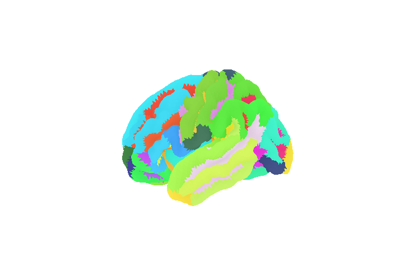
Download and load Destrieux et al, 2010 cortical Deterministic atlas.
This atlas returns 76 labels per hemisphere based on sulco-gryal patterns as distributed with Freesurfer in fsaverage5 surface space.
For more information, see the dataset description.
Added in Nilearn 0.3.
- Parameters:
- data_dir
pathlib.Pathorstror None, optional Path where data should be downloaded. By default, files are downloaded in a
nilearn_datafolder in the home directory of the user. See alsonilearn.datasets.utils.get_data_dirs.- url
stror None, default=None URL of file to download. Override download URL. Used for test only (or if you setup a mirror of the data).
- resume
bool, default=True Whether to resume download of a partly-downloaded file.
- verbose
boolorint, default=1 Verbosity level (
0orFalsemeans no message).
- data_dir
- Returns:
- data
sklearn.utils.Bunch Dictionary-like object, contains:
atlas_type:str. Type of atlas. See Probabilistic atlas and Deterministic atlas.lut:pandas.DataFrame. Act as a look up table (lut) with at least columns ‘index’ and ‘name’. Formatted according to ‘dseg.tsv’ format from BIDS.map_left:numpy.ndarray. Maps each vertex on the left hemisphere of the fsaverage5 surface to its index into the list of label name.map_right:numpy.ndarray. Maps each vertex on the right hemisphere of the fsaverage5 surface to its index into the list of label name.template:str. The standardized space of analysis in which the data is provided.
- data
Notes
If the dataset files are already present in the user’s Nilearn data directory, this fetcher will not re-download them. To force a fresh download, you can remove the existing dataset folder from your local Nilearn data directory.
For more details on how Nilearn stores datasets.
Examples
The code snippet below shows how to use this dataset to generate a
SurfaceImage.from nilearn.datasets import load_fsaverage, fetch_atlas_surf_destrieux from nilearn.surface import SurfaceImage fsaverage = load_fsaverage("fsaverage5") destrieux = fetch_atlas_surf_destrieux() labels_img = SurfaceImage( mesh=fsaverage.pial, data={ "left": destrieux.map_left, "right": destrieux.map_right, }, )