Note
This page is a reference documentation. It only explains the function signature, and not how to use it. Please refer to the user guide for the big picture.
nilearn.image.new_img_like
- nilearn.image.new_img_like(ref_niimg, data, affine=None, copy_header=True)[source]
Create a new image of the same class as the reference image.
- Parameters:
- ref_niimgNiimg-like object or
SurfaceImage Reference image. The new image will be of the same type.
- data
numpy.ndarray,PolyData, ordictofnumpy.ndarray,str,pathlib.Path Data to be stored in the image. If data dtype is a boolean, then data is cast to ‘uint8’ by default.
Changed in Nilearn 0.9.2: Changed default dtype casting of booleans from ‘int8’ to ‘uint8’.
If
ref_niimgis a Niimg-like object, then data must be anumpy.ndarray.- affine4x4
numpy.ndarray, default=None Transformation matrix. Ignored for
SurfaceImage.- copy_header
bool, default=True Indicated if the header of the reference image should be used to create the new image. Ignored for
SurfaceImage.
- ref_niimgNiimg-like object or
- Returns:
- Niimg-like or
SurfaceImageobject A loaded image with the same file type (and, optionally, header) as the reference image.
- Niimg-like or
Examples
>>> import numpy as np
>>> from nibabel import Nifti1Image
>>> from nilearn.image import new_img_like
>>>
>>> # create a Nifti1Image
>>> data1 = np.array([[[0., 0.2, 0.8],
...                   [1.5, 3.0, 0.1],
...                   [0.4, 2.2, 0.0]]])
>>> affine = np.diag((4, 3, 2, 1))
>>> img1 = Nifti1Image(data1, affine, dtype=np.int32)
>>>
>>> # create a new image from data2, and we would like to create an
>>> # image of the same type with img_1.
>>> data2 = np.array([[[0., 0.5, 0.3],
...                   [2.5, 2.0, 0.2],
...                   [0.1, 0.2, 1.0]]])
>>> img2 = new_img_like(img1, data2)
>>> type(img2)
<class 'nibabel.nifti1.Nifti1Image'>
>>> np.allclose(img1.affine, img2.affine)
True
Examples using nilearn.image.new_img_like
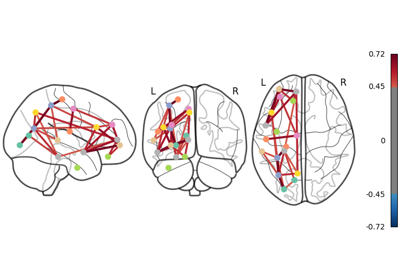
Comparing connectomes on different reference atlases
Computing a Region of Interest (ROI) mask manually
NeuroVault meta-analysis of stop-go paradigm studies